How to delete a custom head office service
New Head Office Services that have been added in MedadvisorHQ can be deleted. Please follow these steps:
- Select Services in the menu
- Find the service and select Edit under Actions

Please note: You can only Edit HO services that were added using MedadvisorHQ
- Scroll down and select Delete service

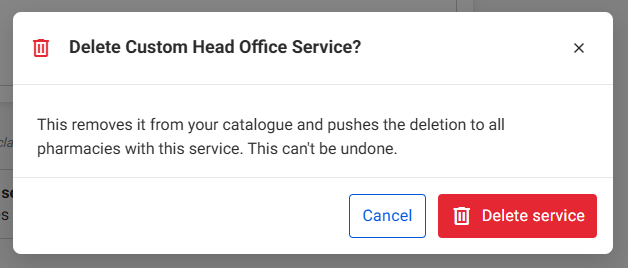
Deleting a custom head office service can NOT be undone.
- A pop-up will appear. Select Delete service